Online weekly planner
Weekly PlannerPlan Your Week in One View
Free digital weekly planner with daily, weekly, and monthly views. Drag tasks across your week, use smart rollover, and connect AI through API and MCP when you want help.
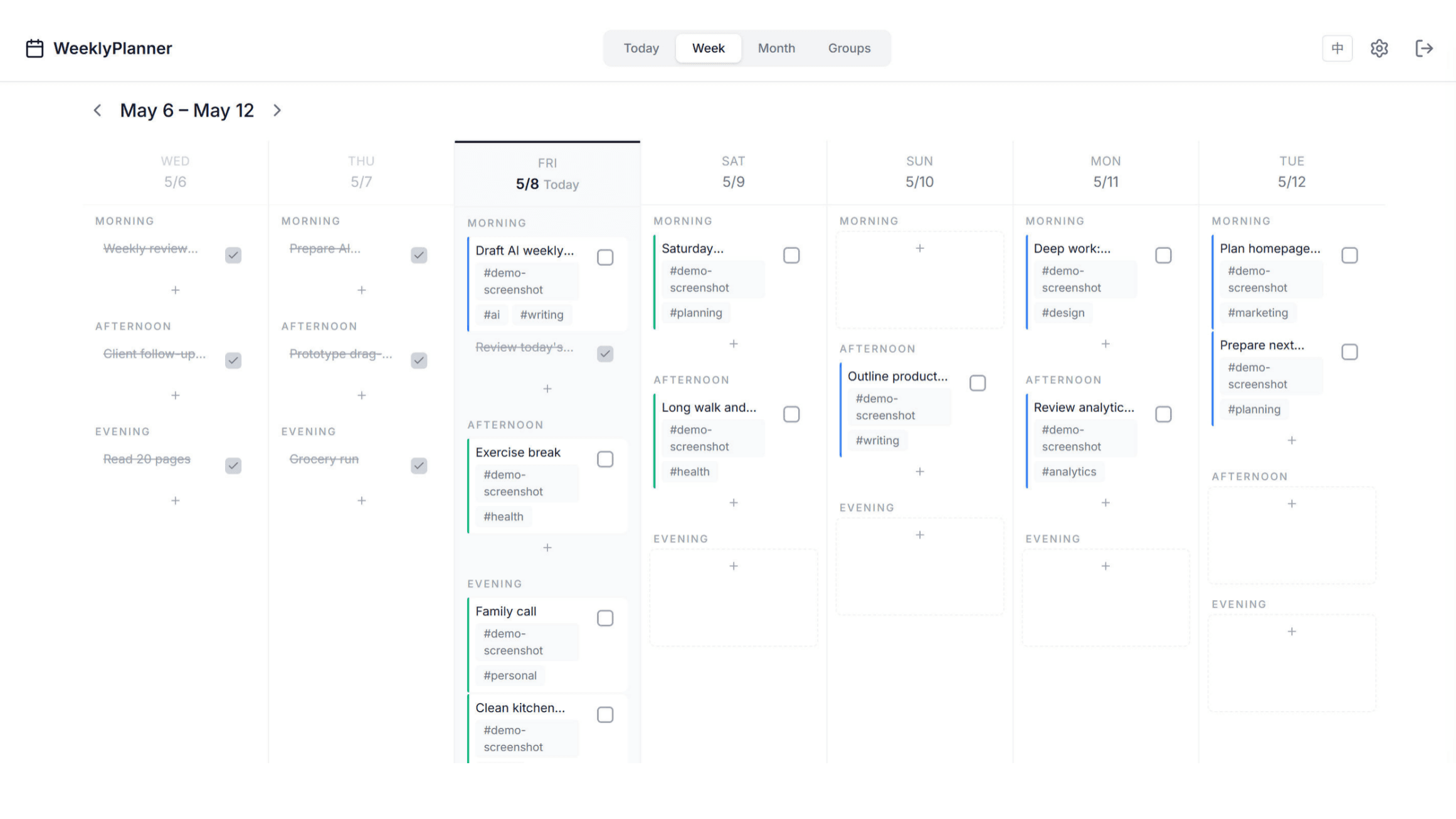
What makes WeeklyPlanner different
Most todo apps store tasks in a list. WeeklyPlanner turns the week itself into the workspace, then exposes the same plan to AI through API and MCP.
Drag-and-drop week planning
Move work between days and time blocks directly on the board. No rebuilding the list when plans change.
AI-ready through MCP and API
Let your own AI assistant read, create, update, and reorganize tasks while you stay in control of the final plan.
Smart rollover signals
Unfinished work can move forward, and defer history becomes a useful planning signal instead of hidden guilt.
ADHD-friendly focus mode
Use a calmer daily view with fewer visible tasks, clearer contrast, and simple completion feedback.
Visual weekly planning
Move tasks where they actually fit
The weekly board is built for real schedule changes. Drag a task from Friday morning to Sunday evening, keep its tags and group color, and keep the whole week visible while you adjust.
Compare with planner templates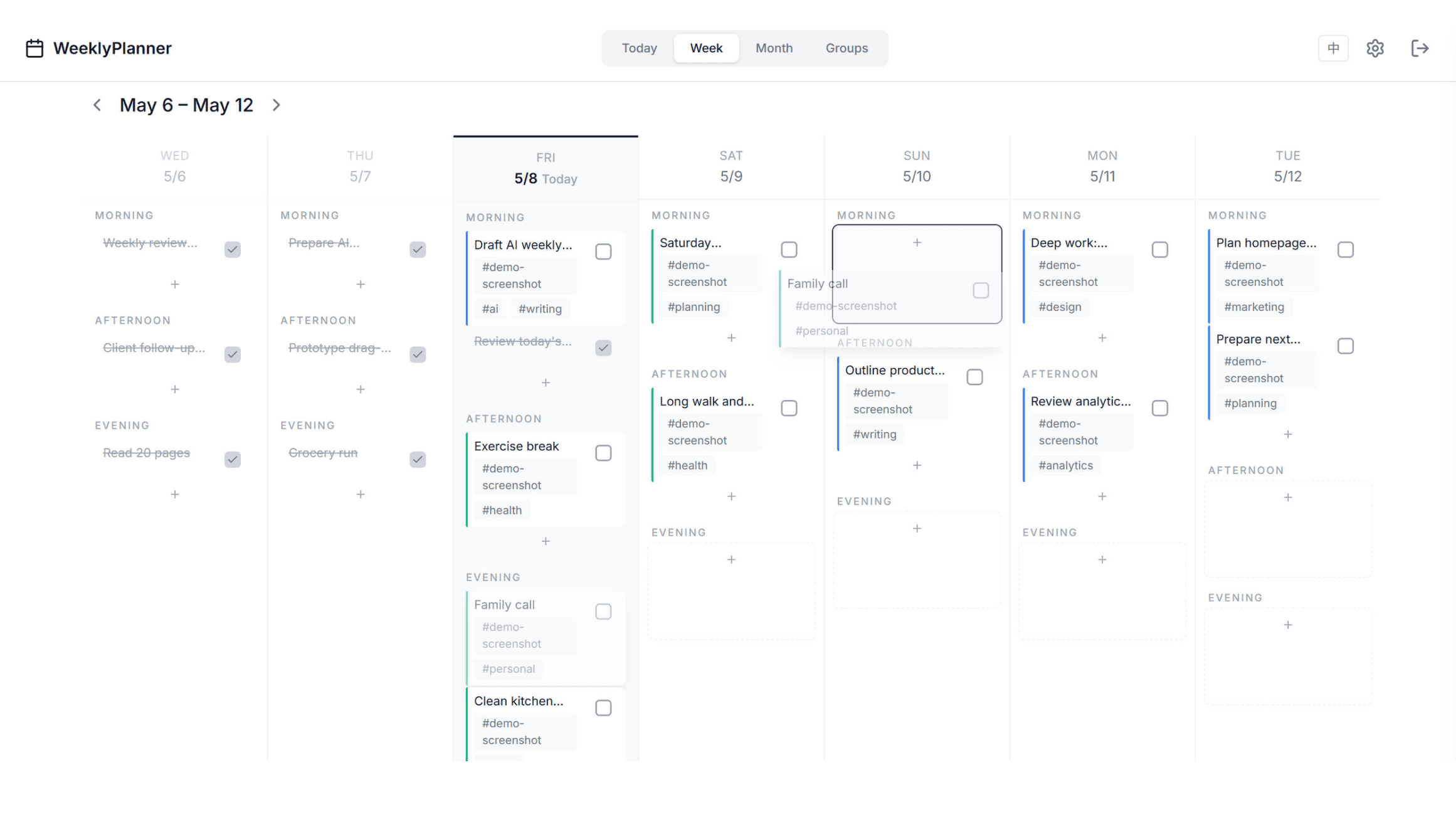
AI-assisted planning
Ask AI to manage the plan, not just summarize it
WeeklyPlanner exposes task data through a scoped API key and MCP server. Your assistant can inspect tags, time blocks, defer counts, recurring tasks, and completion state, then make precise changes through atomic tools.
View API and MCP docs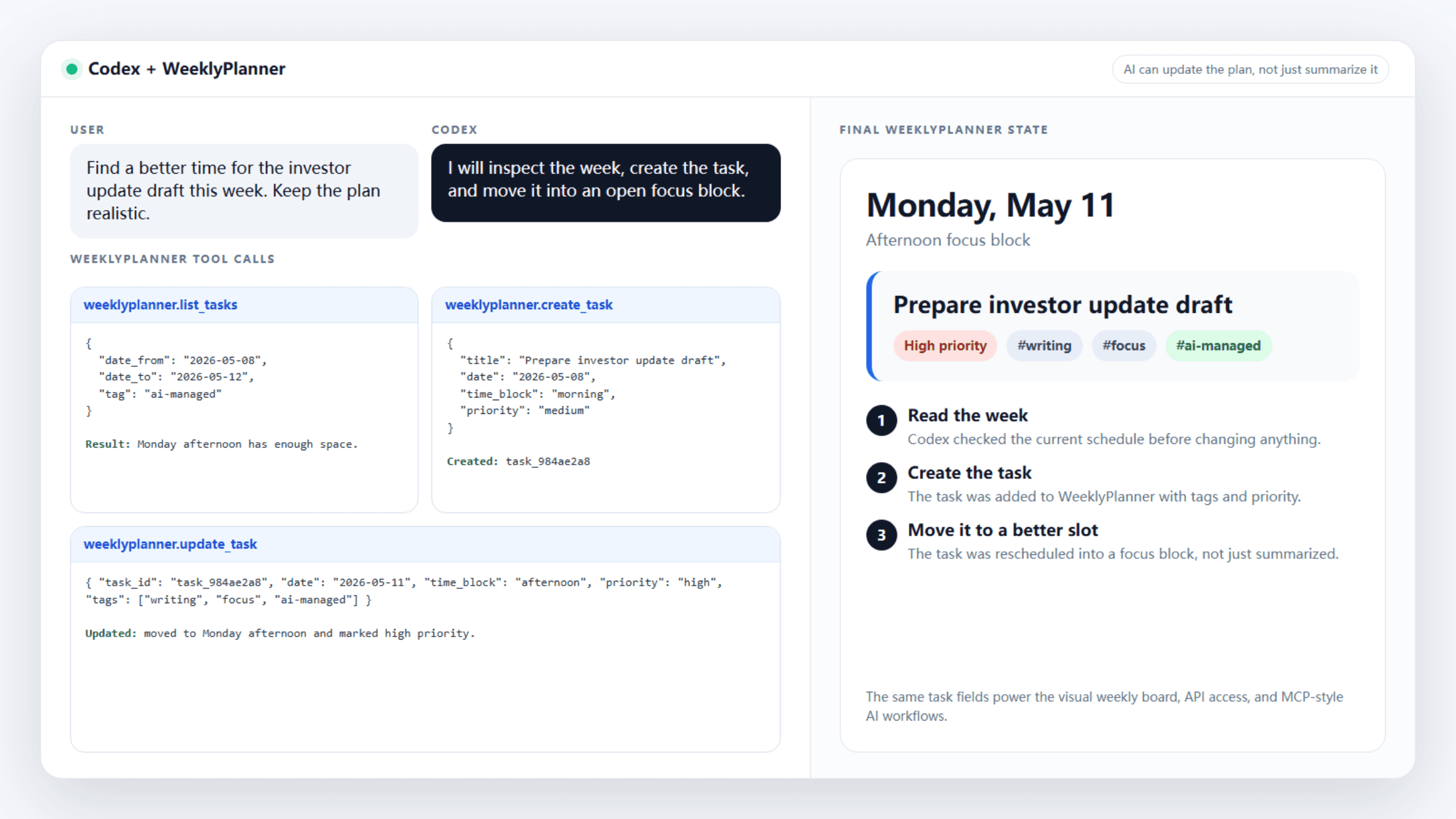
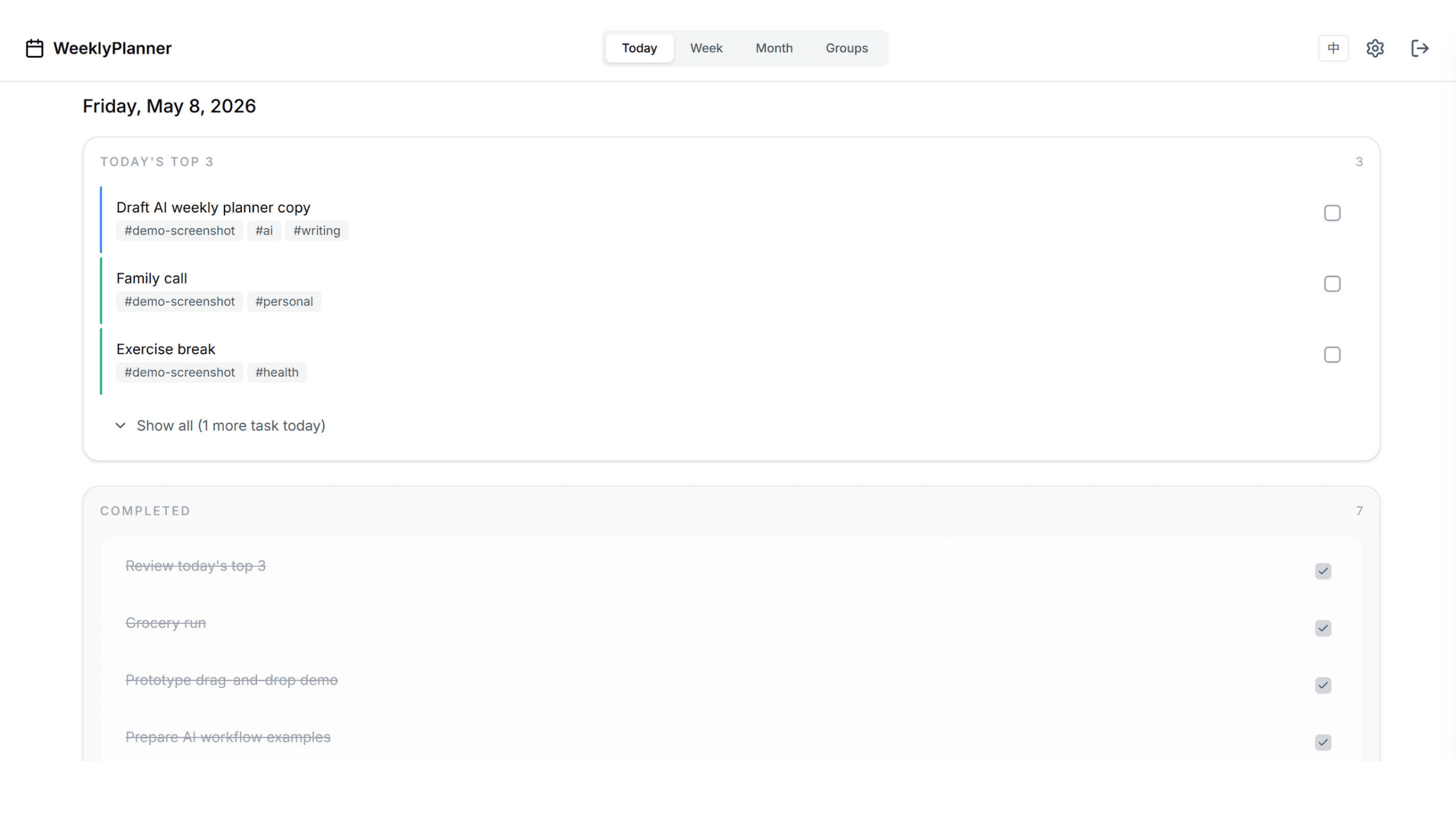
Focus mode
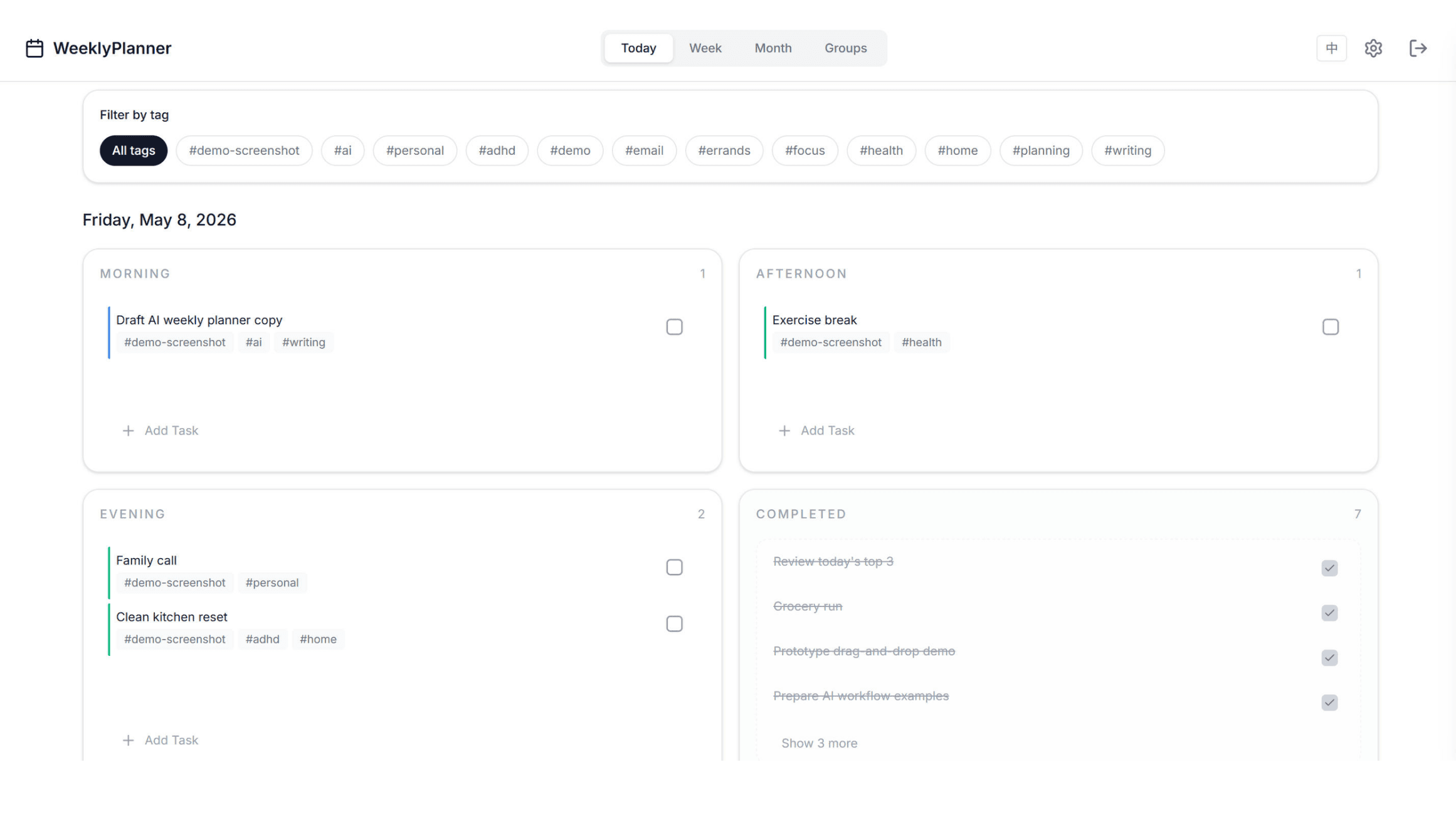
Same day, less noise
Compare a regular Today view with ADHD focus mode side by side. Same tasks, same data — focus mode just narrows the day down to what matters most.
Plan from the right distance
Undated Weekly Planner
Start anytime — no pre-printed dates, no wasted pages. See your whole week at a glance with a clean 7-day layout.
Daily Planner
Plan your day with morning, afternoon, and evening time blocks.
Weekly and Monthly Planner
Switch between weekly and monthly views instantly. See the big picture and the daily details in one app.
A planner your AI can operate
Use WeeklyPlanner by hand when you want direct control. Connect MCP when you want an assistant to prepare the week, clean up overdue tasks, or turn a conversation into scheduled work.
Why Choose a Digital Weekly Planner?
Replaces Paper Planners
No wasted pages, no carrying a notebook everywhere. WeeklyPlanner syncs across all your devices — phone, tablet, and desktop — so your plan is always with you.
Simpler Than Google Calendar
Google Calendar forces you to schedule every minute. WeeklyPlanner uses morning, afternoon, and evening time blocks — a more natural way to think about your day without the stress of hour-by-hour scheduling.
Built for Real Life
Drag tasks between days when plans change. Set recurring tasks for weekly habits. Use groups to color-code work, personal, and side projects. Your weekly planner adapts to you.
How It Works
Create Your Account
Sign up for free in seconds. No credit card required. Start with a 14-day Pro trial.
Plan Your Week
Add tasks, drag them between days, and organize with time blocks. Switch between weekly, daily, and monthly views anytime.
Stay on Track
Check off completed tasks, let smart defer handle what you missed, and build a sustainable weekly planning habit.
Free Weekly Planner Template Alternative
Looking for a weekly planner template? Skip the printable PDF. WeeklyPlanner is a free digital alternative that syncs across all your devices, automatically rolls over unfinished tasks, and adapts as your plans change. No printing, no wasted paper — just open the app and start planning. Need an ADHD-friendly planner? We have that too.
Explore More Planners
Frequently Asked Questions
- Is WeeklyPlanner completely free?
- Yes, the free plan includes up to 30 tasks, 2 groups, weekly and daily views, ADHD-friendly mode, and drag-and-drop scheduling. No credit card required. Upgrade to Pro for unlimited tasks, recurring tasks, smart rollover, and all 4 views.
- What's the difference between a digital and paper weekly planner?
- Digital planners offer sync across devices, drag-and-drop rescheduling, recurring tasks, and searchable history. Paper planners are better for tactile learners who enjoy writing by hand. WeeklyPlanner combines the simplicity of paper with digital flexibility.
- Can I use WeeklyPlanner on my phone?
- Yes, WeeklyPlanner works on any device with a web browser — phone, tablet, laptop, or desktop. Your data syncs automatically across all devices.
- How is WeeklyPlanner different from Google Calendar?
- Google Calendar is time-slot focused, requiring you to schedule every minute. WeeklyPlanner uses morning, afternoon, and evening time blocks — a more natural way to plan your day without the stress of hour-by-hour scheduling.
- Does WeeklyPlanner support recurring tasks?
- Yes, you can set daily, weekly, monthly, or yearly recurring tasks. The system automatically generates new task instances on schedule, so you never have to re-enter routine tasks.
- Is there a free weekly planner template?
- WeeklyPlanner itself is a free digital alternative to printable weekly planner templates. Instead of downloading a PDF or Excel file, you get a dynamic online planner that syncs across devices, supports drag-and-drop scheduling, and automatically rolls over incomplete tasks.
- Can I use this as both a weekly and monthly planner?
- Yes. WeeklyPlanner includes weekly, daily, and monthly views. Switch between them instantly to see the big picture or focus on a single day. All views share the same tasks, so your plans stay in sync.